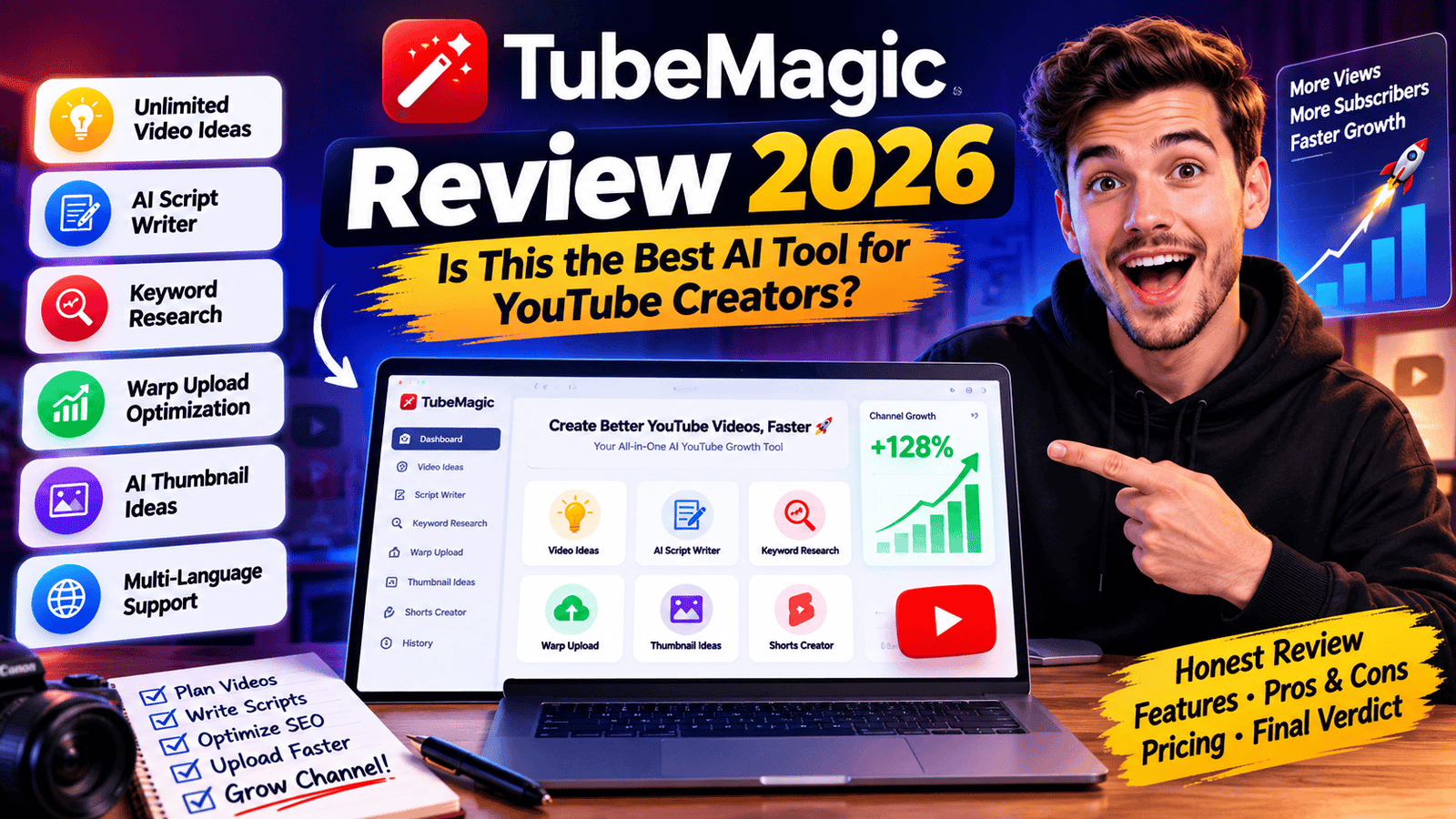
TubeMagic Review 2026
If you’ve ever stared at a blank screen wondering what your next YouTube video should be, you’re not alone. Many creators spend hours researching ideas, writing scripts, optimizing titles, and finding the right keywords before they even start recording.
That’s exactly the problem tubemagic aims to solve.
Instead of juggling multiple YouTube tools, tubemagic combines AI-powered script writing, keyword research, video idea generation, SEO optimization, thumbnail assistance, and YouTube workflow automation into one platform.
But does it actually help creators grow faster, or is it just another AI tool making big promises?
In this in-depth tubemagic review, we’ll examine everything the platform offers, including its features, pricing, pros, drawbacks, and who should actually consider using it.
Whether you’re a beginner YouTuber, a faceless channel owner, or a creator publishing several videos every week, this review will help you decide if tubemagic deserves a place in your workflow.
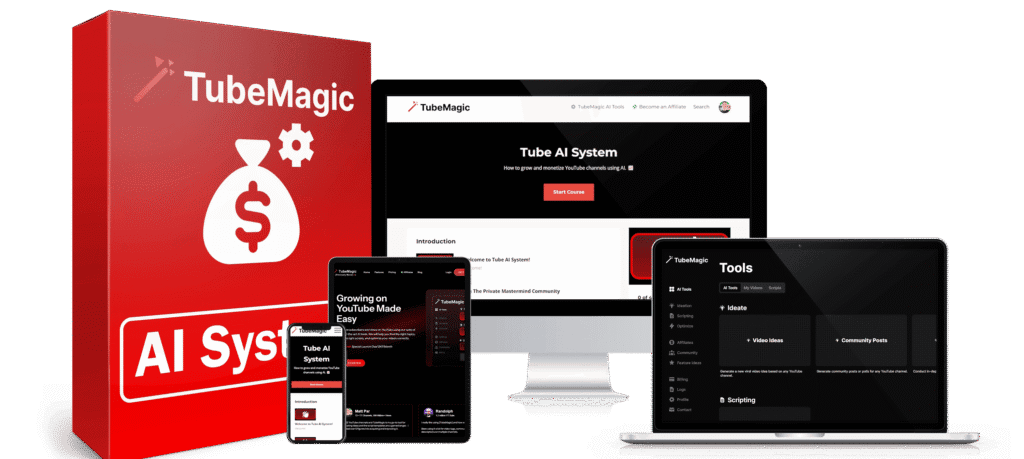

Quick Verdict
| Rating Category | Score |
|---|---|
| Ease of Use | ⭐⭐⭐⭐⭐ (4.8/5) |
| AI Script Quality | ⭐⭐⭐⭐☆ (4.7/5) |
| SEO Features | ⭐⭐⭐⭐⭐ (4.9/5) |
| Video Idea Generator | ⭐⭐⭐⭐⭐ (4.8/5) |
| Value for Money | ⭐⭐⭐⭐☆ (4.5/5) |
| Overall Rating | ⭐⭐⭐⭐⭐ (4.8/5) |
Best For:
- YouTube creators
- Faceless YouTube channels
- Affiliate marketers
- Digital marketers
- Coaches
- Agencies
- Educational creators
- Businesses producing video content
What Is TubeMagic?
tubemagic is an AI-powered YouTube productivity platform designed to simplify almost every stage of content creation.
Rather than spending hours brainstorming, researching keywords, writing scripts, and optimizing metadata, creators can use tubemagic to complete these tasks within minutes.
The platform combines several AI-powered tools into one dashboard, making it particularly attractive for creators who publish videos consistently.
Unlike traditional YouTube SEO tools that primarily focus on analytics, tubemagic helps before your video is even recorded.
It assists with:
- Finding content ideas
- Creating complete scripts
- Generating YouTube titles
- Writing descriptions
- Producing keyword-rich tags
- Optimizing uploads
- Researching niches
- Creating Shorts
- Building long-form content workflows
For creators trying to publish consistently without hiring writers or spending countless hours planning videos, tubemagic offers a centralized solution that reduces repetitive work while improving overall efficiency. The reference materials consistently describe the platform as an AI-first workflow focused on ideation, scripting, and optimization rather than analytics alone.
Why TubeMagic Has Become Popular
AI content creation has become one of the biggest trends among YouTube creators.
Publishing consistently often matters more than publishing occasionally, but maintaining consistency can be difficult when every video requires several hours of preparation.
This is where tubemagic fills an important gap.
Instead of replacing creators, it accelerates repetitive tasks so creators can spend more time recording, editing, and improving audience engagement.
Many users choose tubemagic because it helps eliminate:
- Writer’s block
- Topic research fatigue
- Manual keyword research
- Metadata optimization
- Script formatting
- Upload preparation
For creators managing multiple channels, these time savings can add up significantly over a month.
TubeMagic Features
AI Script Writer
One of the biggest reasons creators subscribe to tubemagic is its AI script generator.
Instead of writing an entire YouTube script manually, users simply enter a topic, keyword, or prompt.
Within seconds, the AI produces a structured script that typically includes:
Introduction
Attention-grabbing opening
Main Sections
Logical content flow
Supporting Talking Points
Easy-to-follow explanations
Call-To-Action
Subscriber reminder
Outro
Natural ending
Instead of beginning every project from scratch, creators receive a working draft they can personalize with their own experience and storytelling.
The reference materials repeatedly emphasize that the generated scripts work best as editable drafts rather than finished content.
Unlimited Video Idea Generator
Coming up with fresh content ideas is often harder than creating the videos themselves.
The tubemagic Idea Generator analyzes your niche and produces numerous topic suggestions based on your input.
Instead of generic recommendations, creators receive ideas designed around searchable topics and common audience interests.
The generator is especially useful for:
- Tech channels
- Finance channels
- Educational content
- Business creators
- Productivity channels
- AI tutorials
- Affiliate marketing
Publishing consistently becomes much easier when you always have dozens of potential topics ready.
Keyword Research Tool
Keywords remain one of the most important ranking factors for YouTube search.
The built-in keyword research feature helps creators identify phrases people are actively searching for.
Instead of relying on guesswork, tubemagic assists creators with:
Finding Long-Tail Keywords
Less competition
Higher ranking potential
Related Search Terms
Improve topical relevance
Content Opportunities
Discover untapped video ideas
Search Intent
Understand what viewers actually want
When combined with AI scripting, creators can produce videos that are built around searchable topics from the very beginning.
Warp Upload Optimization
One feature frequently highlighted in user experiences is Warp Upload.
Instead of manually writing metadata after editing a video, creators can upload or reference their content, allowing tubemagic to generate:
SEO Title
Optimized for click-through rate
Description
Keyword-rich and readable
Video Tags
Relevant search tags
Suggested Metadata
Designed to improve discoverability
This feature reduces repetitive upload work and helps creators maintain consistent SEO practices across their videos. The reference sources describe Warp Upload as an automated optimization workflow that generates titles, descriptions, tags, and related metadata.
AI Thumbnail Assistance
Although thumbnails still benefit from human creativity, tubemagic provides helpful suggestions that creators can build upon.
The platform helps generate:
- Thumbnail concepts
- Text ideas
- Color inspiration
- Visual layouts
Creators can then refine these concepts inside their preferred design software.
AI Shorts Creator
Short-form content continues to dominate YouTube.
Instead of creating every Short manually, tubemagic includes AI tools that help generate:
- Short scripts
- Hooks
- Voiceover-ready content
- Quick educational videos
- Promotional clips
This makes it easier for creators to increase upload frequency without spending hours producing every Short.
Multi-Language Support
One impressive feature is the platform’s support for more than 95 languages according to the reference materials.
This enables creators to:
- Reach international audiences
- Translate titles
- Generate descriptions
- Create multilingual scripts
- Expand globally
For businesses targeting multiple countries, this feature alone can significantly increase content reach. The supplied references consistently mention support for more than 95 languages as one of TubeMagic’s distinguishing capabilities.
Who Should Use TubeMagic?
Not every creator needs advanced AI tools.
However, tubemagic can provide substantial value for creators who publish regularly.
Perfect For
YouTube Beginners
Get ideas faster
Growing Channels
Maintain consistent uploads
Affiliate Marketers
Create educational reviews
Businesses
Scale video marketing
Agencies
Serve multiple clients
Coaches
Publish tutorials consistently
Faceless Channels
Automate planning workflows
Who Might Not Need TubeMagic?
Although tubemagic offers many productivity benefits, it isn’t necessary for everyone.
You may not need it if you:
- Upload only one video every few months
- Prefer writing every script manually
- Already have a dedicated writing team
- Rarely optimize your videos
The reference content also notes that creators who rely heavily on personal storytelling or publish infrequently may see less value than high-volume informational channels.
Pros of TubeMagic
- AI-powered script writing saves significant planning time.
- Unlimited video idea generation helps reduce creative blocks.
- Warp Upload simplifies titles, descriptions, and tags.
- Integrated keyword research supports SEO-focused publishing.
- Multi-language support expands global reach.
- Cloud-based access works from virtually any modern browser.
- Multiple creator tools are available from a single dashboard.
Pricing
One of the biggest questions creators ask before subscribing is whether the platform offers enough value for the cost.
Unlike many AI writing platforms that charge based on credits or word limits, this platform follows a subscription model that typically includes unlimited content generation. Pricing has changed over time according to the supplied reference materials, so it’s always best to verify the latest plans on the official website before purchasing.
Most plans include access to:
- Unlimited AI script generation
- Unlimited video ideas
- Keyword research
- Warp Upload optimization
- AI thumbnail assistance
- AI Shorts creation
- SEO title generator
- Description generator
- Priority support
- 30-day money-back guarantee (where available)
For creators publishing videos consistently, the time savings alone may justify the subscription.

Is It Easy to Use?
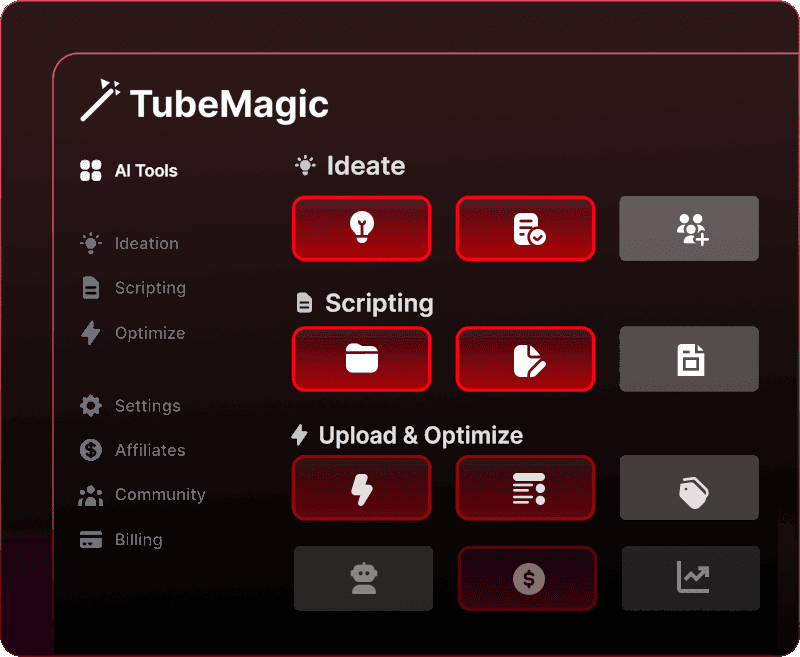
One of the platform’s biggest advantages is its clean, browser-based interface.
Since everything runs online, there are no browser extensions or software downloads required, making it accessible from virtually any device with an internet connection.
A typical workflow looks like this:
Step 1
Select the feature you want to use:
- Script Writer
- Video Ideas
- Keyword Research
- Warp Upload
- Thumbnail Generator
Step 2
Enter a topic, keyword, or prompt.
Step 3
Allow the AI to generate the content.
Step 4
Review and personalize the output.
Step 5
Publish your optimized YouTube video.
Most users can become comfortable with the interface after only a short period of use.
Does It Actually Save Time?
The biggest benefit isn’t that it creates perfect content automatically.
Instead, it reduces repetitive work that usually consumes hours every week.
Tasks like:
- Topic research
- Script writing
- SEO optimization
- Title creation
- Upload preparation
can be completed much faster, allowing creators to spend more time recording, editing, and engaging with their audience. The supplied references also recommend treating AI-generated content as a draft that should be edited and personalized before publishing.
Pros & Cons
Pros
Complete AI Workflow
Combines idea generation, scripting, keyword research, and optimization in one dashboard.
Excellent Script Generator
Produces structured drafts that help eliminate writer’s block.
Unlimited Content Creation
Create multiple scripts, ideas, and metadata without worrying about generation limits (depending on your subscription).
Strong SEO Features
Built-in keyword research and upload optimization simplify YouTube SEO.
Cloud-Based Platform
Accessible from any modern browser without installing additional software.
Multi-Language Support
Supports creators targeting audiences around the world.
Helps Maintain Consistency
Makes it easier to publish videos on a regular schedule.
Cons
Subscription Cost
The monthly investment may not suit hobby creators or those with limited budgets.
AI Requires Human Editing
Generated scripts work best when enhanced with your own voice, experience, and examples.
No Guaranteed Results
Better optimization doesn’t automatically guarantee higher rankings or more views.
Prompt Quality Matters
Learning how to write effective prompts improves the quality of generated content.
Not Ideal for Every Channel
Highly personal, story-driven channels may benefit less than educational or informational channels.
Comparison with VidIQ
Although both platforms help YouTube creators, they focus on different areas.
| Feature | This Platform | VidIQ |
|---|---|---|
| AI Script Writing | ✅ | Limited |
| Video Ideas | ✅ | ✅ |
| Keyword Research | ✅ | ✅ |
| Upload Optimization | ✅ | ✅ |
| Analytics | Basic | Excellent |
| Competitor Research | Good | Excellent |
| AI Workflow | Excellent | Limited |
Creators focused on producing content faster may prefer this platform, while those interested primarily in analytics and channel insights may find VidIQ more suitable. This distinction is also reflected in the reference materials.
Comparison with TubeBuddy
TubeBuddy is best known for channel management, bulk editing, and optimization tools.
This platform places greater emphasis on AI-assisted content creation, making it better suited for creators who want help with:
- Script writing
- Video planning
- Topic generation
- Content workflows
Creators looking for extensive channel management features may still prefer TubeBuddy.
What We Liked Most
Several features stand out during evaluation:
AI-Driven Workflow
The platform supports nearly every stage of YouTube content planning.
Faster Content Production
Significantly reduces time spent researching and writing.
Multiple Tools in One Place
Eliminates the need to switch between several separate applications.
Beginner-Friendly Interface
Most tools are easy to understand, even for newer creators.
Encourages Consistent Uploading
Helps reduce planning fatigue and keeps content ideas flowing.
Areas That Could Improve
Although feature-rich, there is still room for improvement.
Potential enhancements include:
- Lower-cost entry plans
- More advanced collaboration tools
- Deeper analytics
- Greater AI customization
- Additional integrations with editing software
Frequently Asked Questions
Is it worth buying?
For creators who publish regularly and want to reduce the time spent on planning, scripting, and optimization, it can be a worthwhile investment.
Can it write complete YouTube scripts?
Yes.
It generates structured AI-powered drafts that creators can customize before recording. The reference materials consistently recommend adding your own expertise and personality before publishing.
Is it suitable for beginners?
Yes.
The interface is simple to navigate, although learning better prompting techniques will improve results.
Does AI replace creativity?
No.
It speeds up repetitive tasks while still relying on human creativity for storytelling and audience connection.
Is it cloud-based?
Yes.
Everything operates directly from a web browser.
Can it help create YouTube Shorts?
Yes.
The platform includes dedicated AI features for generating short-form content workflows.
Does it improve YouTube SEO?
Yes.
Built-in tools assist with:
- Keyword research
- Titles
- Tags
- Descriptions
- Upload optimization
Can it generate thumbnail ideas?
Yes.
It provides AI-assisted thumbnail concepts that creators can further refine.
Is it good for faceless YouTube channels?
Yes.
Its automation features are particularly useful for educational, informational, and faceless content strategies.
Can agencies use it?
Yes.
Marketing agencies and production teams can use it to speed up research, scripting, and planning across multiple client projects.
Final Verdict
This platform delivers a well-rounded AI solution for YouTube creators who want to streamline content production without sacrificing quality.
Its strongest features include AI-assisted script writing, topic generation, keyword research, upload optimization, and multilingual support. Together, these tools can significantly reduce the time spent on repetitive tasks and make it easier to maintain a consistent publishing schedule. However, the source material also makes it clear that the best results come from treating AI output as a starting point rather than a finished product.
For creators publishing videos frequently, managing multiple channels, or looking to scale production efficiently, this platform offers strong value. Those who upload only occasionally or prefer to create everything manually may not benefit as much.
Overall Rating
⭐⭐⭐⭐⭐ 4.8/5
Best For:
- YouTube creators
- Affiliate marketers
- Coaches
- Agencies
- Online businesses
- Educational channels
- Faceless YouTube creators
For anyone looking to save time, improve workflow efficiency, and publish more consistently, this AI-powered platform is a compelling option to consider.